 Almist

For patients: scan the code or tap it
It opens a page where you can choose RuStore or Google Play and install the app.
A patient’s blood pressure diary, right at your appointment
Patients arrive with a clear picture for the period you need, not with scraps of notes. You open it in a browser: no registration, no installation, free.
The app is available for Android now; an iPhone version is planned.
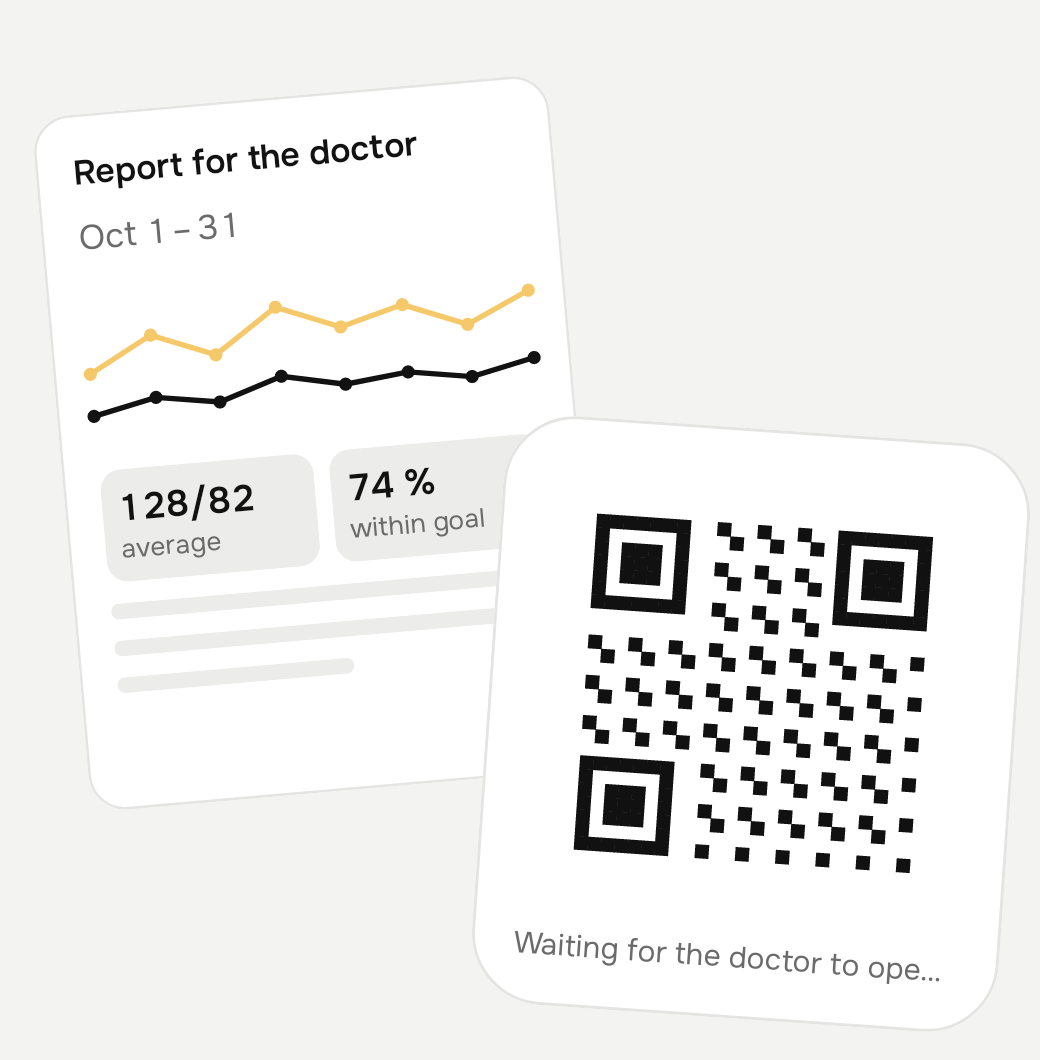
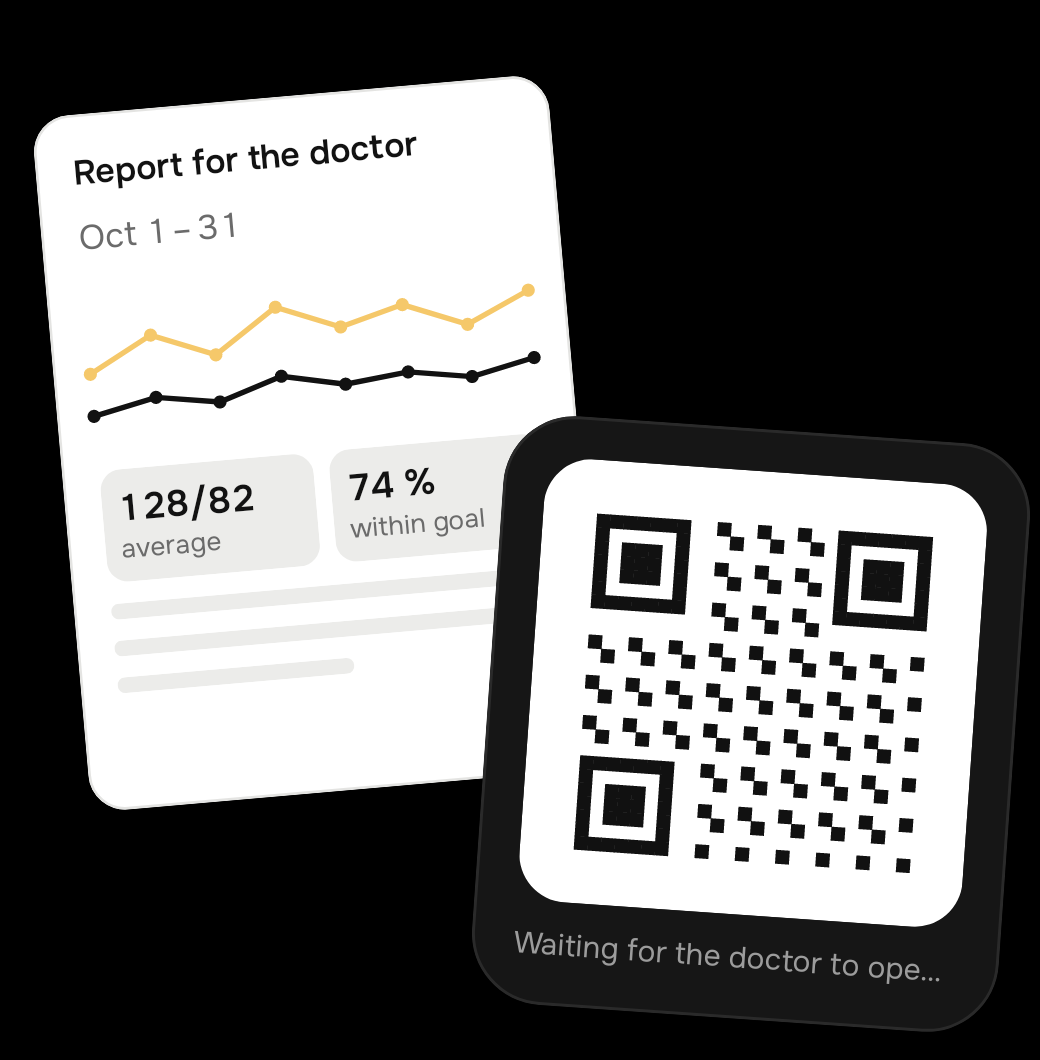
How it looks at the appointment
Three steps, and only one is yours.
The patient shares
Opens "Settings" → "Doctor access" in the app, chooses a period and shows a QR code or sends a link.
You open it
In a browser on a phone or computer. No registration and no app installation needed.
You see the picture
The entries and a summary for the chosen period. Access stays open for 2 hours, and the patient can close it earlier. If you prefer paper, there is a printable PDF.
How it looks in the app
This is how patients keep the diary and prepare a report for you.


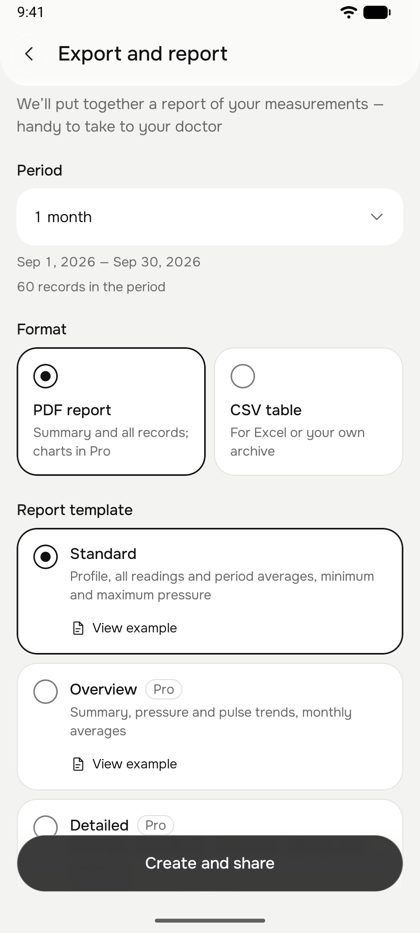
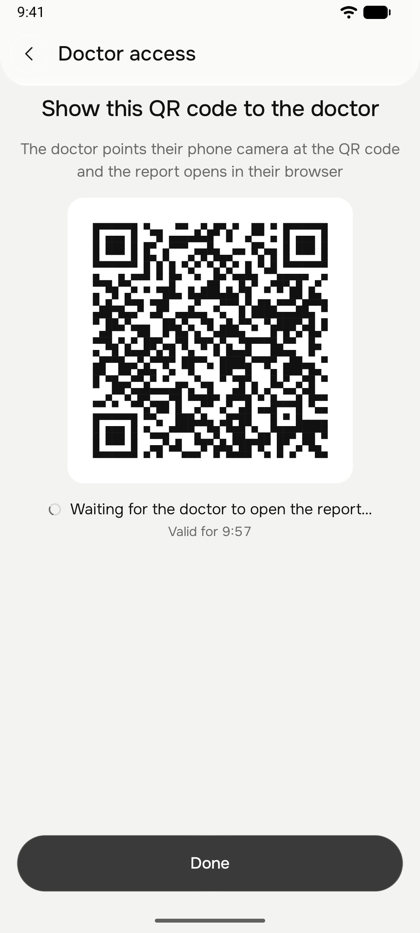
Instructions: how a patient shares a report
Expand the option you need. If a patient does not know how to do it, you can show them this page.
Option 1. The doctor has a phone or tablet (QR code or link)
- The patient opens "Settings" → "Doctor access" in the app and chooses "Share via QR code or link".
- Chooses the period and the data to show, then taps "Prepare report". Before sharing, the app shows what the doctor will see.
- Taps "Show QR code": a QR code appears on the screen.
- You point your phone camera at the QR code, or the patient sends you a one-time link with the "Send link" button (messenger, email).
- The report opens in a browser. It stays available for 2 hours after opening, and the patient can close access earlier.
Option 2. The doctor has a computer (via the website)
- On your computer you open the doctor page /doctor: a QR code appears on it.
- In the app the patient opens "Settings" → "Doctor access" → "Share via website", chooses the period and contents and taps "Prepare report".
- Taps "Scan QR code on the website" and points the phone camera at the QR code on your screen.
- The report opens on your computer right away. If the QR code does not scan, the patient taps "Show code" and you enter that code on the same page.
- When the appointment ends, tap "End viewing" or "Next patient". The previous patient’s data is no longer visible.
Option 3. If you prefer paper
- In the app the patient opens "Settings" → "Export and PDF report" and chooses a period.
- Taps "Create and share": the PDF can be printed or sent to you as a file.
- Sample reports: standard PDF, extended PDF (they open in a new tab).
How a patient starts a diary
- Install the app from RuStore or Google Play and complete a short registration.
- If the diary is already kept in a file or another app, bring the entries to Almist (CSV, Excel, Word, PDF or JSON): the history continues and nothing has to be typed again.
- On the home screen tap "Read from photo" and point the camera at the monitor screen: the numbers are recognised automatically. "Enter manually" also works.
- Optionally turn on reminders for readings and medications.
- After a few days the "Statistics" screen shows a chart and averages that can be shown to the doctor.
What is convenient for a doctor
- All readings in one place, not in a notebook and phone photos
- A summary for the period: averages, trends, individual readings
- No registration or installation, free for the doctor
- Access is limited in time and controlled by the patient
- The next patient never sees the previous report
- The report can be downloaded as a PDF right from the page and printed
Why it suits your patients
The app is simple, so people who are not comfortable with phones can use it too.
Older generation
No typing in numbers: just point the camera at the monitor. The numbers are large and the interface is uncluttered. It also suits people with poor eyesight or who find typing hard.
Young and busy
A widget with the latest reading on the home screen, an entry in seconds, and a chart and trends instead of a pile of numbers.
Reminders
For readings and medications on the patient’s own schedule, even without internet.
Already keeping a diary?
If the entries are already in a file or another app, they can be brought to Almist: CSV, Excel, Word, PDF or JSON. The history continues and nothing has to be entered again.
Foreigners living in Russia
The app is available in several languages, so people who do not read Russian well can manage too.
Security and documents
Stored in Russia
Entries are stored on a server in Russia and sent over an encrypted connection.
Only at the patient’s decision
A doctor sees exactly what the patient chose, and access is limited in time.
Everything is official
The app is developed by a registered sole proprietor. We are listed in the register of personal data operators of Roskomnadzor, and the documents are published on the website.
Questions from doctors
Do I need to register or install the app?
No. The patient shows a QR code or sends a link, and you open it in an ordinary browser.
What exactly do I see?
What the patient chose to share: the period and contents. The page is view-only, entries cannot be changed.
How long does access last?
2 hours after you open the link. The patient can close access earlier, and the next patient never sees the previous one’s data.
How much does it cost?
Free for the doctor. The patient’s app is free, and extra features (Pro) are optional.
What about iPhone?
The app is available for Android now (RuStore and Google Play). An iPhone version is planned, and we cannot name a date yet.
Try it yourself or suggest it to patients
We would be glad to hear your opinion: what is unnecessary, what is missing, what would be more convenient.


Questions and suggestions: support@almistapp.com